
Workforce automation: how AI transforms productivity & hiring

Most managers hear “workforce automation” and immediately picture layoffs, robots on assembly lines, or a future where half the team is replaced by software. That framing is outdated and, frankly, counterproductive. Workforce automation is really about redirecting human energy away from repetitive, low-value tasks toward the strategic work that actually moves the needle. For product and hiring managers at US enterprises and startups, this shift is not a distant possibility. It is happening right now, and the teams that understand it early will outperform those that do not.
Table of Contents
- What is workforce automation?
- How does workforce automation work?
- Implementing workforce automation: Key steps and frameworks
- Workforce automation in hiring and HR: Real impact
- Challenges, risks, and nuances of workforce automation
- Debates and future outlook: Automation’s impact on organizations
- Supercharge your team with AI-powered workforce automation
- Frequently asked questions
Key Takeaways
| Point | Details |
|---|---|
| Automation boosts efficiency | Workforce automation streamlines tasks so employees spend more time on high-value work. |
| Rapid results in HR | Companies are slashing hiring times and saving millions through strategic automation in HR. |
| Human-AI collaboration is key | The best outcomes come from blending technology with human insights, not just full replacement. |
| Mind the risks | Address process mapping, employee buy-in, and data quality to avoid common automation pitfalls. |
| Stay adaptable | Preparing your workforce for change ensures you capture the full benefits of business automation. |
What is workforce automation?
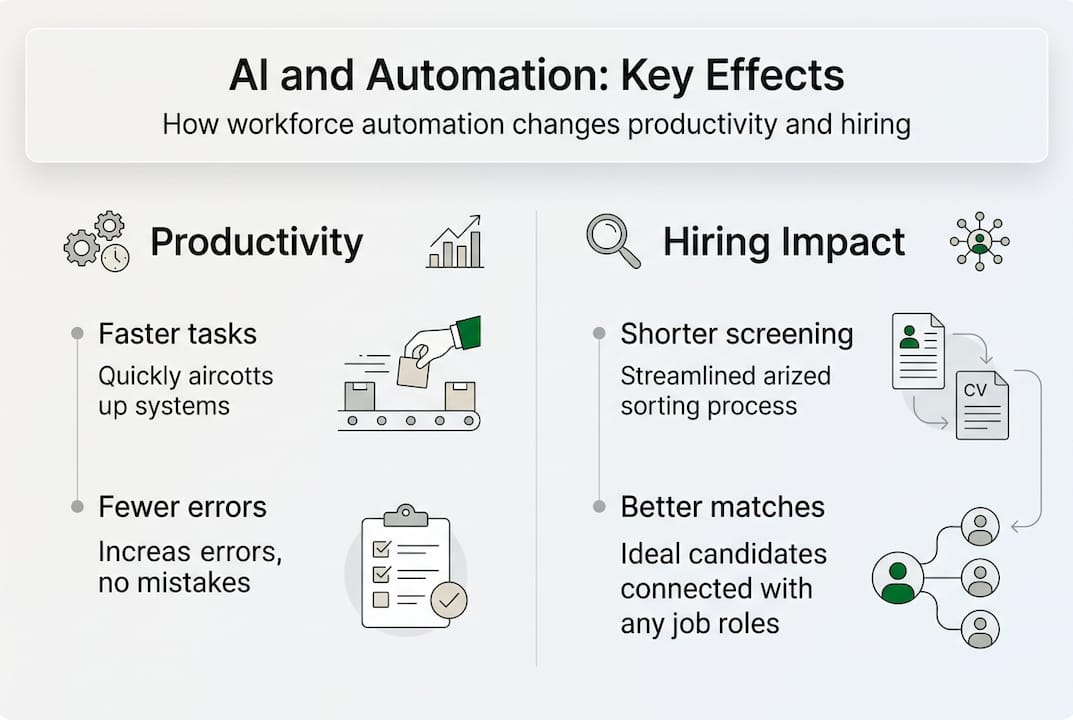
Workforce automation is the use of technology to handle repetitive, rule-based, and manual tasks that previously required human effort. Think of it as giving your team a capable assistant that never sleeps, never makes data-entry errors, and processes requests in seconds. Workforce automation uses technology including software, AI, and robotics to automate tasks across HR and operations, freeing people to focus on judgment-intensive work.
The core technologies driving this shift include:
- Artificial intelligence (AI): Learns from data to make decisions, flag anomalies, and generate recommendations.
- Robotic process automation (RPA): Software bots that mimic human actions in digital systems, like copying data between platforms.
- Workflow orchestration: Connects multiple tools and systems so tasks flow automatically from one step to the next.
- Machine learning models: Improve over time by analyzing patterns in hiring, scheduling, and operational data.
“Workforce automation is not about replacing people. It is about amplifying what people can do when they are freed from low-value, repetitive work.”
The most common misconception is that automation shrinks headcount. In practice, it tends to elevate the impact of every person on your team by removing the friction that slows them down.
How does workforce automation work?
Understanding the big picture is one thing. Seeing how automation functions inside real organizations is where it gets practical. Automation replaces manual processes with AI-driven systems for HR, scheduling, and workflow, and the applications are broader than most managers expect.
Here is what day-to-day automation looks like across common functions:
- HR inquiry handling: AI chatbots answer employee questions about benefits, PTO, and policies around the clock, without HR staff involvement.
- Candidate screening: Algorithmic tools scan resumes, rank applicants, and surface the top matches based on your defined criteria.
- Scheduling and payroll: Automated systems handle shift scheduling, time tracking, and payroll processing with minimal manual input.
- Onboarding workflows: New hires move through document signing, system access provisioning, and training assignments automatically.
- Agentic AI orchestration: Next-generation tools coordinate multi-step workflows across platforms, making decisions at each stage without human prompting.
“The real power of automation is not in any single tool. It is in how well those tools connect to each other and to your existing systems.”
Pro Tip: Before selecting any automation platform, map out your current process end-to-end. Tools like automated HR task platforms work best when the underlying workflow is already documented and understood.
For teams evaluating where to start, AI-powered HR tech solutions can help identify which processes are ready for automation and which need process cleanup first.
Implementing workforce automation: Key steps and frameworks
Knowing what automation can do is very different from knowing how to roll it out without disrupting your team. Best practices include assessing needs, piloting tools, integrating with systems, training employees, and redesigning workflows. That sequence matters more than most managers realize.
Here is a practical implementation framework:
- Assess your processes: Identify which tasks are high-volume, rule-based, and time-consuming. These are your best automation candidates.
- Pilot with a narrow scope: Choose one process, automate it, and measure results before expanding. Avoid the temptation to automate everything at once.
- Integrate with existing systems: Automation tools must connect cleanly with your ATS, HRIS, payroll, and communication platforms.
- Train your team: Staff need to understand what the automation does, why it exists, and how to handle exceptions it cannot resolve.
- Redesign workflows: Automation changes how work flows. Update your SOPs and role responsibilities to reflect the new reality.
Pro Tip: Resist the “big bang” rollout. Incremental automation builds confidence, surfaces edge cases early, and gives your team time to adapt without feeling overwhelmed.
| Approach | Speed | Risk level | Best for |
|---|---|---|---|
| Incremental rollout | Slower | Low | Teams new to automation |
| Big bang rollout | Faster | High | Mature, well-documented processes |
| Hybrid approach | Moderate | Moderate | Enterprises with mixed readiness |
Reviewing operational efficiency frameworks before you start can help you choose the right approach for your organization’s current maturity level.
Workforce automation in hiring and HR: Real impact
The numbers behind workforce automation in hiring are striking. Automation reduces screening time by 60%, and 48% of hiring leaders expect automation to handle HR scheduling within the next two years. For high-volume hiring teams, that kind of efficiency gain is not incremental. It is transformational.

The enterprise-level results are even more compelling. IBM saved 3.9 million hours and $4.5 billion in productivity by automating 94% of HR inquiries. That is not a pilot program result. That is what scaled, well-integrated automation delivers.
| HR function | Automation impact | Expected efficiency gain |
|---|---|---|
| Candidate screening | Algorithmic ranking and filtering | Up to 60% time reduction |
| HR inquiry handling | AI chatbots for 24/7 responses | 94% inquiry automation (IBM) |
| Onboarding | Automated document and access workflows | 30-50% faster completion |
| Scheduling | AI-driven shift and interview scheduling | 48% adoption expected |
For product and hiring managers, the takeaway is clear: automation does not just save time. It improves consistency, reduces bias in screening, and lets your HR team focus on candidate experience and strategic workforce planning. Explore automation success stories to see how teams similar to yours have applied these tools in practice.
Challenges, risks, and nuances of workforce automation
The results above are real, but they do not happen automatically. Edge cases include undocumented processes, non-linear workflows, data quality issues, and integration failures. These are the reasons automation projects stall or underdeliver.
The most common pitfalls managers encounter include:
- Automating broken processes: If a workflow is chaotic before automation, it will be chaotic faster after automation.
- Poor data quality: AI tools are only as good as the data they train on. Dirty data produces unreliable outputs.
- Employee resistance: Staff who feel threatened by automation disengage or work around it, undermining adoption.
- Skill gaps: Automation creates demand for new skills. Teams that do not upskill fall behind.
- Over-reliance on automation: Some decisions require human judgment. Automating them introduces risk.
“Automation augments work and creates new roles, but it also introduces resistance, skill gaps, and the risk of errors when deployed without proper oversight.”
Pro Tip: Involve frontline staff in the automation design process. They know where the edge cases live, and their buy-in dramatically improves adoption rates.
Reviewing automation risk factors before scaling is a smart move, especially for teams handling sensitive employee or candidate data.
Debates and future outlook: Automation’s impact on organizations
Not everyone agrees on where workforce automation is headed. The optimists point to trillions of dollars in potential productivity gains and a future where every knowledge worker is augmented by AI. The skeptics are more cautious. Forrester warns that you cannot automate poorly understood processes, and that rapid rollouts create fragility rather than resilience.
Both perspectives have merit. Here is what product and hiring managers should watch for in 2026 and beyond:
- Agentic AI maturation: Tools that can plan, execute, and adapt multi-step workflows without human prompting are moving from experimental to production-ready.
- Regulatory scrutiny: Automated hiring tools are attracting attention from regulators focused on bias and transparency. Stay ahead of compliance requirements.
- Workforce redesign: The most successful organizations will not just automate tasks. They will redesign roles around what humans do best.
- Upskilling as a competitive advantage: Teams that invest in training alongside automation will outperform those that treat it as a pure cost-cutting exercise.
- Vendor consolidation: The automation tool market is maturing. Expect fewer, more integrated platforms rather than a sprawl of point solutions.
The organizations that will win are those that treat automation as a capability to build, not a product to buy. Working with AI workforce specialists who understand both the technology and the human side of the transition gives you a meaningful edge.
Supercharge your team with AI-powered workforce automation
You now have a clear picture of what workforce automation involves, how to implement it, and where the real risks and rewards lie. The next step is finding the right talent and technology partners to make it real for your team.
At Fuerza, we connect US enterprises and startups with pre-vetted, AI-fluent professionals who specialize in building and managing automated workflows. Whether you need nearshore contractors to accelerate a pilot or full-time specialists to own your automation roadmap, our workforce automation services are built around your operational goals. Browse our AI talent solutions to find the right fit for your next automation initiative and start moving faster without adding unnecessary overhead.
Frequently asked questions
What does workforce automation actually involve?
It means using technology, including AI, RPA, and workflow tools, to handle routine and rules-based tasks so your team can focus on higher-value work. Workforce automation covers software, AI, and robotics applied across HR and operations.
Which HR functions benefit most from automation?
Candidate screening, interview scheduling, onboarding, and HR inquiry handling deliver the biggest efficiency gains. Screening time drops by 60% with automated tools, and 48% of hiring leaders expect scheduling to be fully automated soon.
Does automation lead to job losses?
Most evidence shows automation shifts the nature of work rather than eliminating jobs outright. Automation creates new roles while augmenting existing ones, with relatively few net job losses observed so far.
What are the most common automation challenges?
Undocumented workflows, poor data quality, and staff resistance are the top obstacles. Edge cases and integration issues are the most frequent reasons automation projects underdeliver.
How do we get started with workforce automation?
Start by mapping your current processes, identifying high-volume rule-based tasks, and running a narrow pilot before scaling. Best practices include assessing needs, piloting tools, integrating systems, training staff, and redesigning workflows around the new setup.
Recommended
- Fuerza — Hire Pre-Vetted AI & Tech Talent | AI-Powered Staffing
- Fuerza — Hire Pre-Vetted AI & Tech Talent | AI-Powered Staffing
- Fuerza — Hire Pre-Vetted AI & Tech Talent | AI-Powered Staffing
- Fuerza — Hire Pre-Vetted AI & Tech Talent | AI-Powered Staffing
- Workflow-Optimierung 2026: AI steigert Effizienz um 25% - EcomTask