
Role of AI in Onboarding: Boosting Remote Team Integration

Many hiring managers worry that using artificial intelligence for onboarding means sacrificing the personal touch that helps teams connect. In reality, AI-driven onboarding solutions are designed to enhance—not replace—human interaction by taking over repetitive tasks and freeing up your team for meaningful engagement. For US-based companies managing talent from Miami to Mexico City, AI-powered onboarding personalizes the experience and ensures smooth, consistent integration across all locations, making your remote workforce feel truly supported.
Table of Contents
- AI-Driven Onboarding Fundamentals and Debunked Myths
- Key Applications of AI in Remote Talent Integration
- Types of AI Tools for Onboarding Automation
- Compliance, Security, and Data Privacy Essentials
- Cost, ROI, and Common Implementation Pitfalls
Key Takeaways
| Point | Details |
|---|---|
| AI Enhances Human Interaction | AI-driven onboarding automates routine tasks, allowing teams to focus on relationship building and cultural integration. |
| Personalized and Scalable Solutions | Modern AI platforms offer tailored content that adapts to individual learning styles and needs, enhancing the onboarding experience for all roles. |
| Continuous Support and Engagement | AI applications provide 24/7 assistance and engagement tracking, reducing the risks of new hires feeling isolated or disconnected. |
| Compliance and Security are Crucial | Implementing AI onboarding requires strict adherence to data protection regulations and robust security measures to maintain trust and legal compliance. |
AI-Driven Onboarding Fundamentals and Debunked Myths
AI-driven onboarding isn’t about replacing human connection—it’s about amplifying it. When hiring managers think of AI in onboarding, many picture automated systems eliminating personal touchpoints. That’s backwards.
The reality? AI applications support employee socialization by handling routine tasks so your team focuses on meaningful interactions. Think of AI as your scheduling assistant, not your HR department.
What AI-Driven Onboarding Actually Does
Proper AI-driven onboarding tackles three core challenges:
- Personalization at scale - Tailors content to individual learning styles and roles without manual customization
- 24/7 accessibility - Answers common questions when new hires join across different time zones
- Integration tracking - Monitors progress and flags disconnection risks before they become problems
These aren’t luxuries. They’re operational necessities for remote teams spanning multiple states.
AI handles the repetitive work: sending welcome packets, scheduling meetings, answering “Where’s the handbook?” for the hundredth time. Your hiring and product managers get their time back.
Debunking Common AI Onboarding Myths
Many misconceptions about AI come from misunderstanding what it actually does. Research on AI misconceptions shows learners often fear automation replacing human roles or assume AI lacks empathy entirely.
Here’s what’s actually true:
Myth 1: AI replaces human onboarding
False. AI handles information delivery and scheduling. Your team handles relationship building, cultural integration, and mentorship. The combination creates better outcomes.
Myth 2: Remote workers feel less connected with AI onboarding
Opposite. AI-driven systems ensure consistent, timely communication that in-office setups often skip. New hires get faster responses and clearer expectations.
Myth 3: AI onboarding is one-size-fits-all
Not anymore. Modern AI platforms analyze role-specific needs, seniority levels, and department requirements, then customize content accordingly.
Myth 4: Implementation requires replacing your entire HR stack
Wrong. AI solutions integrate with existing tools—your ATS, Slack, email systems—without ripping and replacing everything.
The Real Benefits for Your Team
When you implement AI-driven onboarding correctly, measurable changes appear quickly:
- New hires answer questions independently faster
- Managers spend less time on administrative onboarding tasks
- Integration metrics become visible and actionable
- Turnover during the critical first 90 days decreases
- Remote and nearshore talent feel equally supported
For US-based startups hiring nearshore and onshore talent through staffing platforms, this consistency matters enormously. A developer in Miami and a contractor in Mexico City follow the same streamlined process.
AI onboarding succeeds when it automates routine information delivery while protecting time for human connection, mentorship, and relationship building.
The fundamentals boil down to this: AI removes friction, not relationships. It gives your team bandwidth to do what humans do best—integrating new people into your culture.
Pro tip: Start by identifying your most repetitive onboarding questions and processes. That’s where AI delivers the fastest ROI—automating the known problems so your team can focus on discovering unknown ones.
Key Applications of AI in Remote Talent Integration
AI isn’t a theoretical tool anymore—it’s solving real problems for remote teams right now. Your hiring managers face concrete challenges: screening hundreds of resumes, personalizing onboarding across time zones, and keeping new hires engaged when they’re scattered across regions. AI handles each of these.
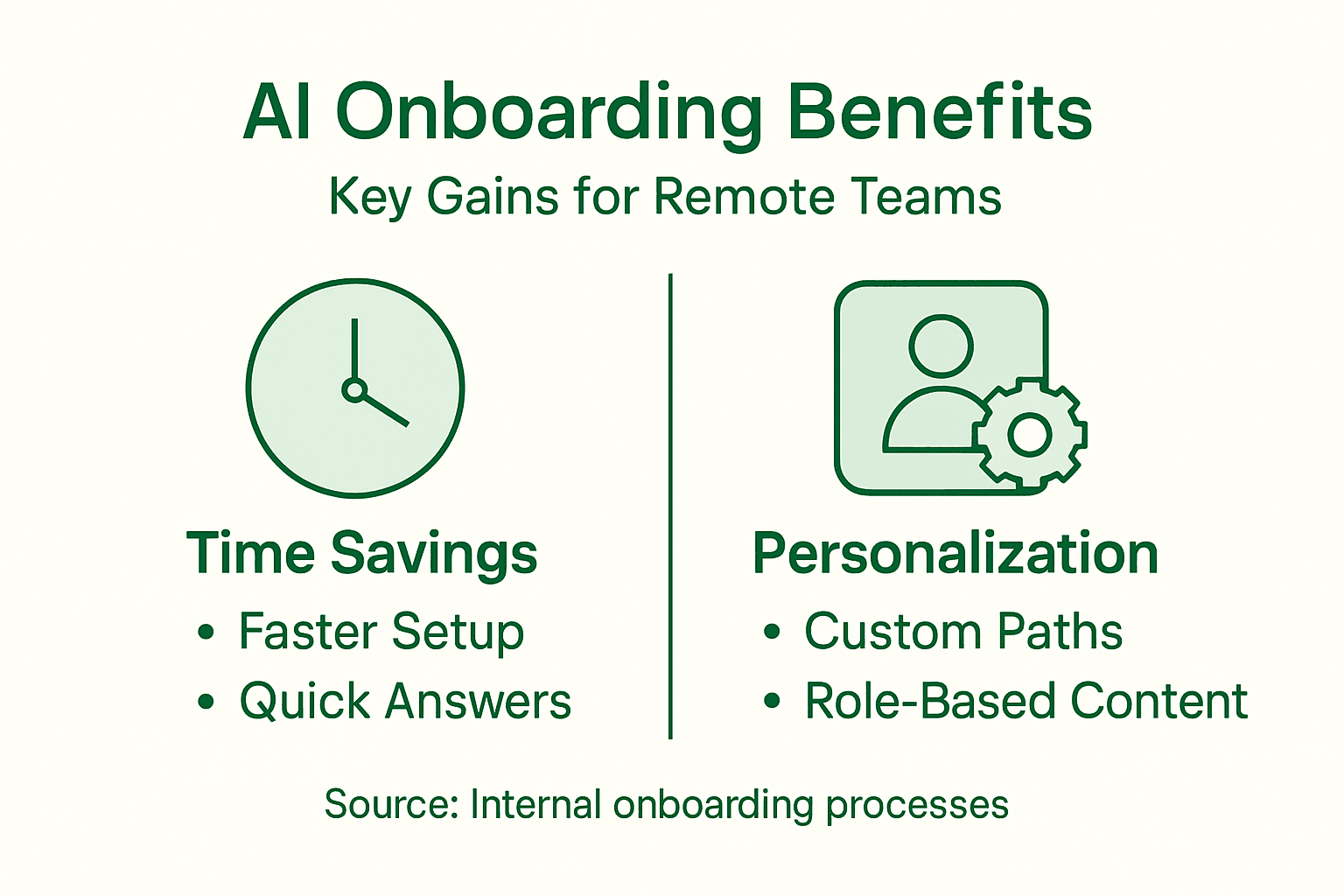
Automation That Actually Saves Time
The first wave of AI applications eliminates administrative drudgery. AI-powered resume screening and predictive analytics automatically identify qualified candidates, ranking them by fit before your team spends a minute reviewing.
Your product managers stop sorting through hundreds of applications manually. Instead, they see pre-ranked candidates with compatibility scores. The time saved? Between 15-20 hours per hire during the initial screening phase.
Once hired, AI manages the administrative avalanche:
- Sending welcome documents and compliance paperwork automatically
- Scheduling onboarding meetings across time zones without calendar chaos
- Tracking document completion and flagging missing items
- Organizing company information into searchable knowledge bases
This automation isn’t about cutting corners. It’s about removing the busywork so humans focus on what matters: relationship building and cultural integration.
Personalized Learning Paths
Remote onboarding fails when it’s one-size-fits-all. A backend developer needs different training than a product manager, yet many companies hand everyone the same 50-page manual.
AI-driven platforms analyze role, experience level, department, and learning style to create customized pathways. A senior hire skips basic content and jumps to strategic context. A junior hire gets foundational material first.
Interactive onboarding platforms powered by AI deliver training content dynamically, adjusting difficulty and pacing based on comprehension. They’re responsive—not rigid.
24/7 Virtual Assistants
New hires have questions at 3 AM in different time zones. Your HR team isn’t awake. AI chatbots are.

These virtual assistants answer routine questions instantly: “Where do I submit timesheets?” “How do I access the benefits portal?” “What’s the policy on remote work hours?” They free your team from repetitive inquiries while keeping new hires unblocked.
For distributed teams hiring nearshore and onshore talent, this removes friction. A contractor in Mexico gets answers immediately in their own language, at their own pace.
Communication and Engagement Tracking
Remote onboarding becomes invisible without monitoring. Managers can’t tell if someone is struggling until it’s too late. AI solves this.
These platforms track:
- Engagement metrics—who’s completing tasks, who’s falling behind
- Communication patterns—identifying isolation or disconnection risks
- Progress against integration milestones
- Sentiment signals from feedback and check-ins
Your team catches problems early, not on day 60 when turnover becomes inevitable.
AI applications shine brightest when they remove friction and enable human connection, not replace it.
The core pattern? AI handles data, logistics, and repetition. Your team handles judgment, mentorship, and culture.
Pro tip: Start with one AI application—usually automated resume screening or chatbot support—and measure results for 90 days. Track hours saved and quality metrics before adding additional tools.
Types of AI Tools for Onboarding Automation
Not all AI onboarding tools are created equal. Some handle specific tasks like document processing. Others manage end-to-end experiences. Understanding which tools solve which problems helps you build the right stack for your team.
Here’s a quick comparison of AI onboarding tool types and their primary business value:
| Tool Type | Main Function | Business Impact | Typical Use Case |
|---|---|---|---|
| Chatbots & Conversational AI | Instant Q&A for employees | Boosts engagement, saves HR time | Remote, distributed teams |
| Generative AI Automation | Auto-generates documents | Reduces errors, speeds workflows | Compliance paperwork |
| Personalized Learning Platforms | Customizes training paths | Improves retention, faster ramp-up | Role and skill onboarding |
| Analytics & Monitoring | Tracks progress & sentiment | Flags issues, optimizes process | Early intervention for new hires |
Conversational AI and Chatbots
Chatbots are the workhorses of AI onboarding. They answer questions instantly, 24/7, without requiring your HR team to respond to the hundredth “Where’s my login password?” inquiry.
Conversational AI platforms provide real-time assistance with intent classification and semantic retrieval, meaning they understand what new hires actually mean, not just keyword matching. A question phrased three different ways gets the same accurate answer.
These tools handle:
- Policy and procedure questions
- System access and login troubleshooting
- Document submission tracking
- Meeting scheduling and reminders
- Benefits enrollment guidance
For remote teams across multiple time zones, this eliminates the waiting-for-HR-to-reply problem entirely.
Generative AI for Document Automation
Onboarding paperwork is tedious. Generate new hire agreements, tax forms, and compliance documents automatically instead of manually filling templates for the hundredth time.
Generative AI automates paperwork creation by pulling information from your applicant tracking system and pre-populating forms correctly. Errors drop dramatically. Time saved? Hours per hire.
This applies to:
- Employment agreements and offer letters
- Tax withholding forms (W-4, I-9 verification)
- Confidentiality and IP agreements
- Benefit enrollment documents
- Direct deposit authorization
Documents generate correctly formatted and compliant on day one, ready for e-signature.
Personalized Learning Platforms
Generic training modules don’t work. AI-driven learning systems analyze role, seniority, department, and previous experience to create custom pathways for each hire.
A senior engineer skips foundational material and starts with architecture decisions. A junior hire gets onboarded step-by-step. The platform adjusts difficulty and pacing based on comprehension signals, delivering content that actually sticks.
Analytics and Engagement Monitoring
You can’t improve what you don’t measure. AI analytics track onboarding metrics that matter:
- Task completion rates and timelines
- Engagement patterns and drop-off points
- Knowledge assessment scores
- Sentiment from feedback surveys
- Integration milestone progress
These dashboards surface problems early. If someone hasn’t completed orientation modules by day three, your manager sees it and intervenes.
The best AI tools solve one problem exceptionally well rather than promising to solve everything poorly.
Your stack doesn’t need every tool. Start with what causes the most pain: resume screening, chatbot support, or document automation. Add others as you scale.
Pro tip: Audit your current onboarding workflow and identify the 2-3 manual steps taking the most time. Target those with AI tools first, measure the impact, then expand.
Compliance, Security, and Data Privacy Essentials
AI-driven onboarding collects sensitive data: social security numbers, background checks, compensation details, and personal addresses. One breach damages trust, triggers legal liability, and kills your ability to hire. Security isn’t optional.
Your hiring and product managers need to understand the risks before implementing any AI tool. This isn’t IT’s problem alone—it’s a business decision.
Data Protection Regulations
You operate across multiple states and possibly internationally. Different regions enforce different rules, and they’re not forgiving.
International data protection regulations require ethical governance and transparent algorithms across all onboarding systems. Violating these regulations means fines, not warnings.
Key frameworks affecting your onboarding:
- GDPR (European Union) - Governs any employee data from EU citizens
- CCPA (California) - Applies to California residents’ personal information
- State labor laws - Many states regulate background checks, credit checks, and data retention
- FERPA (if applicable) - Education records for recently graduated hires
Your AI onboarding platform must comply with all applicable regulations where you hire. Non-compliance isn’t a technical issue—it’s a legal liability.
Security Architecture
AI systems need robust data security measures from the ground up. This means:
- Encryption in transit and at rest
- Role-based access controls limiting who sees what data
- Regular security audits and penetration testing
- Audit logs tracking who accessed what data and when
- Incident response plans for breaches
Don’t assume your vendor handles this. Verify their security certifications (SOC 2 Type II, ISO 27001) before signing contracts.
Algorithm Transparency
AI systems making decisions about your candidates need to be explainable. If your resume screening AI rejects qualified candidates systematically because of bias in training data, you have a problem.
Demand your vendors explain how algorithms work, what data trains them, and how they prevent discriminatory outcomes. “It’s proprietary” isn’t acceptable when hiring decisions are involved.
Employee Data Consent and Rights
New hires need to know what data you collect, how you use it, and how long you keep it. This isn’t just ethical—it’s required under most privacy regulations.
Your onboarding process should include:
- Clear privacy notices explaining data collection
- Explicit consent for specific uses (background checks, analytics, etc.)
- Data retention policies stating when records get deleted
- Employee rights to access, correct, or delete their data
Strong data governance isn’t a compliance checkbox—it’s how you maintain candidate and employee trust.
When candidates see transparent practices, they’re more likely to accept offers and stay longer.
Vendor Due Diligence
Your AI onboarding vendor becomes responsible for sensitive data. Vet them carefully before implementation.
Request documentation of:
- Security certifications and audit results
- Data processing agreements (DPAs) with compliance commitments
- Sub-processor lists showing who else touches your data
- Incident response procedures and notification timelines
- Data deletion and retention policies
If they resist providing this documentation, find a different vendor.
Pro tip: Before implementing any AI onboarding tool, have your legal team review the vendor’s data processing agreement and security documentation. A 30-minute legal review prevents expensive compliance problems later.
Cost, ROI, and Common Implementation Pitfalls
AI onboarding requires upfront investment. Licenses, implementation, training, and integration work cost money. The question isn’t whether to spend—it’s whether you’ll actually see returns on that spending.
Many companies implement AI tools and wonder why nothing changed. Usually, it’s not the technology. It’s the implementation.
Understanding the Cost Structure
AI onboarding tools fall into different price tiers. Entry-level chatbots might cost $500-$2,000 monthly. Full-stack platforms with learning management, analytics, and integration run $5,000-$15,000+ monthly depending on company size.
Hidden costs matter too. Implementation takes time—integrating with your ATS, Slack, email systems, and other tools. Your IT team burns hours. Training your HR staff on new systems adds more hours.
Budget for:
- Software licensing (monthly or annual)
- Implementation and integration services
- Staff training and change management
- Ongoing support and maintenance
- Data migration and setup
Don’t underestimate integration complexity. A platform that “integrates easily” still requires configuration, testing, and debugging.
To help you assess cost and ROI, this summary contrasts typical expenses and tangible business returns for AI onboarding:
| Cost Category | Estimated Range | ROI Drivers | Timeframe for Impact |
|---|---|---|---|
| Software licensing | $500-$15,000/month | Reduced admin hours, faster onboarding | 1-3 months after rollout |
| Implementation | $2,000-$10,000 | Integration, setup efficiency | Weeks to a few months |
| Training & support | $1,000-$5,000 | Adoption, improved user satisfaction | Immediately to 3 months |
| Data migration | $1,500-$6,000 | Clean records, fewer errors | During system setup |
Calculating Real ROI
AI reduces training and administrative costs while accelerating time-to-proficiency, directly improving your bottom line through faster productivity and lower turnover.
Measurable returns include:
- Time savings - Hours per hire previously spent on paperwork, scheduling, answering FAQs
- Reduced turnover - First-90-day retention improves with better onboarding
- Faster ramp-up - New hires reach full productivity weeks sooner
- Lower recruiting costs - Better onboarding reduces replacement hiring
For a 50-person startup hiring 10 new employees monthly, saving 8 hours per hire at $35/hour equals $2,800 monthly savings. Annual savings: $33,600. A $5,000 monthly platform pays for itself in two months.
For larger enterprises, the math shifts dramatically. Better retention alone justifies the investment.
Common Implementation Pitfalls
Many companies stumble on predictable mistakes.
Pitfall 1: Inadequate needs assessment. Implementing AI without understanding your actual pain points wastes money on features you don’t need. Spend time mapping your current onboarding process first.
Pitfall 2: Over-reliance on automation. Some teams assume AI replaces human onboarding entirely. New hires still need mentorship, relationship building, and cultural integration. AI handles logistics, not relationships.
Pitfall 3: Insufficient customization. Generic onboarding fails. Your company culture, compliance needs, and role requirements are unique. Customize the platform or it becomes another unused tool gathering dust.
Pitfall 4: Technology adoption resistance. HR teams sometimes resist change. Without proper training and buy-in, adoption stalls. Plan for change management, not just technology rollout.
Pitfall 5: Ignoring data quality. Garbage data in = garbage results out. If your ATS has incomplete candidate information, your AI system struggles.
ROI appears fastest when you target one specific pain point instead of trying to transform everything simultaneously.
Pick your biggest onboarding bottleneck, solve it thoroughly, then expand.
Pro tip: Before purchasing any AI onboarding platform, run a pilot with 10-15 new hires. Measure time saved, adoption rates, and new hire feedback over 90 days before full rollout.
Enhance Your Remote Team Integration with AI-Powered Staffing Solutions
The challenge of effective AI-driven onboarding lies in balancing automation with human connection while supporting nearshore and onshore remote teams. If your startup or enterprise is struggling with repetitive onboarding tasks, inconsistent integration across different time zones, or scaling personalized learning paths, you are not alone. Key pain points such as administrative overload, delayed communication, and lack of role-specific onboarding are slowing your remote workforce ramp-up and increasing turnover risk.
At Fuerza, we understand these challenges deeply. Our AI-powered staffing platform connects you with pre-vetted freelancers, contractors, and full-time experts, specifically focused on nearshore and onshore talent for US clients. By integrating trusted human experts with smart automation, we eliminate onboarding friction so your hiring and product managers can focus on mentorship and culture-building—not paperwork.
- Streamline your remote hiring with curated talent from Miami and beyond
- Experience faster, more personalized onboarding that accelerates new hire productivity
- Benefit from seamless coordination that cuts administrative bottlenecks
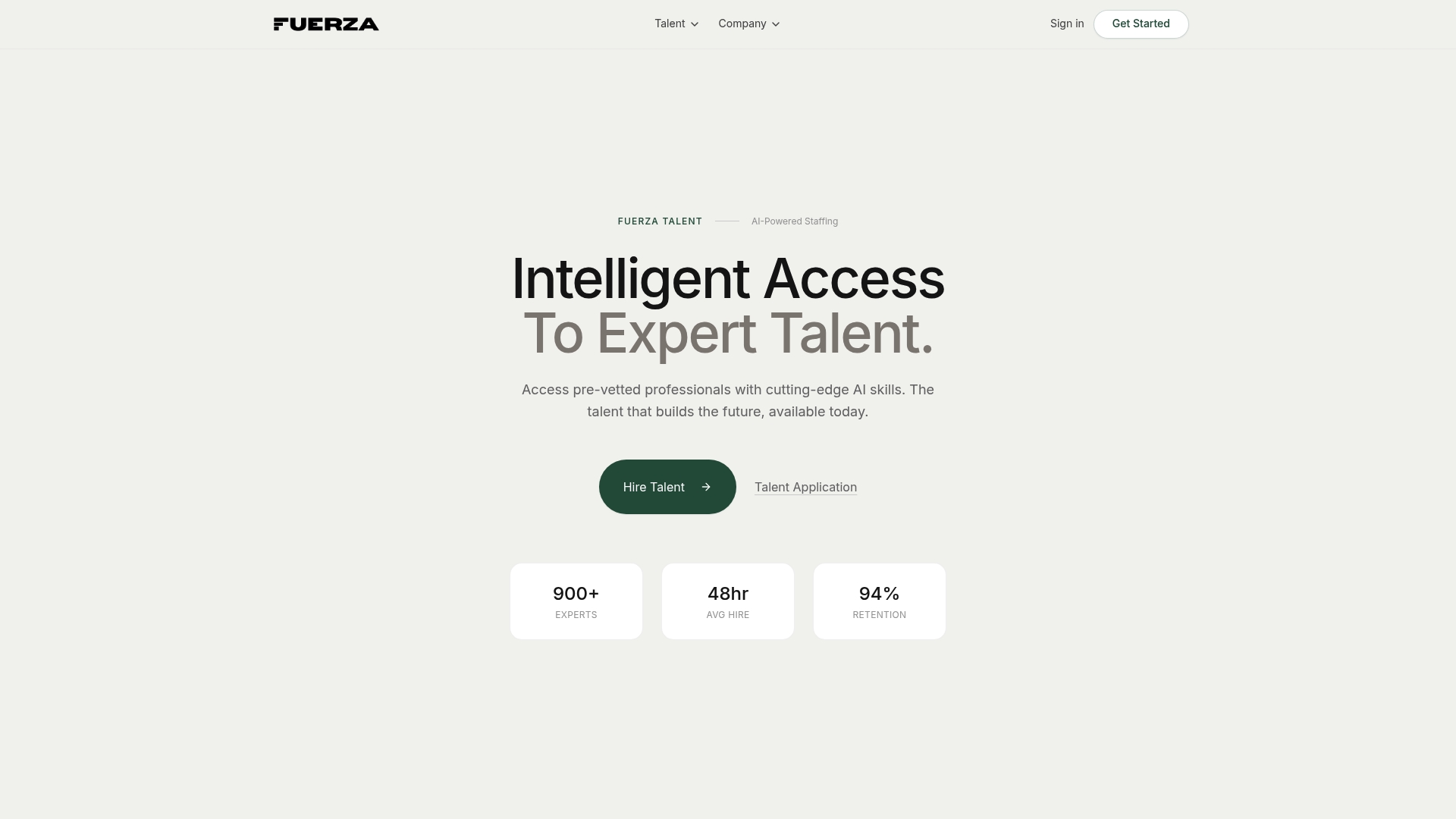
Discover how AI-driven onboarding and reliable nearshore staffing work together to build engaged and productive remote teams. Visit Fuerza now to connect with your next team member and transform your onboarding experience. Start your journey toward efficient, human-centered remote talent integration today.
Frequently Asked Questions
What are the main benefits of AI-driven onboarding for remote teams?
AI-driven onboarding offers several benefits, including personalization at scale, 24/7 accessibility for new hires, and integration tracking that monitors progress. This enhances employee engagement and ensures a smoother transition into the company culture.
How does AI improve the onboarding experience for new hires?
AI improves the onboarding experience by automating routine tasks such as scheduling meetings, answering frequently asked questions, and delivering personalized training content. This allows HR personnel to focus on relationship building and mentorship.
Can AI-driven onboarding replace human interaction in the onboarding process?
No, AI-driven onboarding does not replace human interaction. Instead, it supports and amplifies it by handling administrative tasks, allowing human resources professionals to focus on fostering connections and cultural integration.
What AI tools are typically used for onboarding automation?
Common AI tools for onboarding automation include chatbots for instant Q&A, generative AI for document automation, personalized learning platforms for tailored training, and analytics tools for tracking progress and engagement metrics.
Recommended
- Fuerza — Hire Pre-Vetted AI & Tech Talent | AI-Powered Staffing
- Fuerza — Hire Pre-Vetted AI & Tech Talent | AI-Powered Staffing
- Fuerza — Hire Pre-Vetted AI & Tech Talent | AI-Powered Staffing
- Fuerza — Hire Pre-Vetted AI & Tech Talent | AI-Powered Staffing
- Effective Recruitment Guide: Hire Top Talent Faster